I am trying to have a button that only activates a relay if another toggle is on but can get it to work. can anyone help me achieve this?
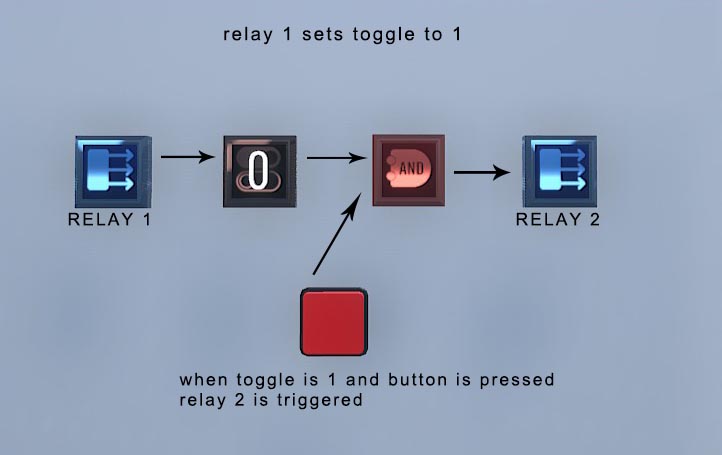
Here is an image of what I am trying to do but not working.
Put another toggle between the button and the AND gate. I don’t think the button stores its toggle state for logic purposes.
EDIT: and if you want it to reset afterwards, make the button set the toggle on, then after half a second set it off.
I have done as you suggested but it still doesn’t seem to work.
I put ‘Toggle 1’ and ‘Toggle 2’ in the logic section of the ‘And Gate’. Is this where I put the inputs?
I have read whatever documentation I can find but cant find what i am doing wrong.
Toggles don’t intake logic, but they do output logic. Does Relay 1 and the Button both directly toggle the Toggles instead of being logic-linked?
Ah, i think i figured where i went wrong.
I had to put the AND gate into the Logic section of both toggles!
It works now, Thanks heaps!
I would like to know how do you make the connections in the connections window when M2 > Edit connections.
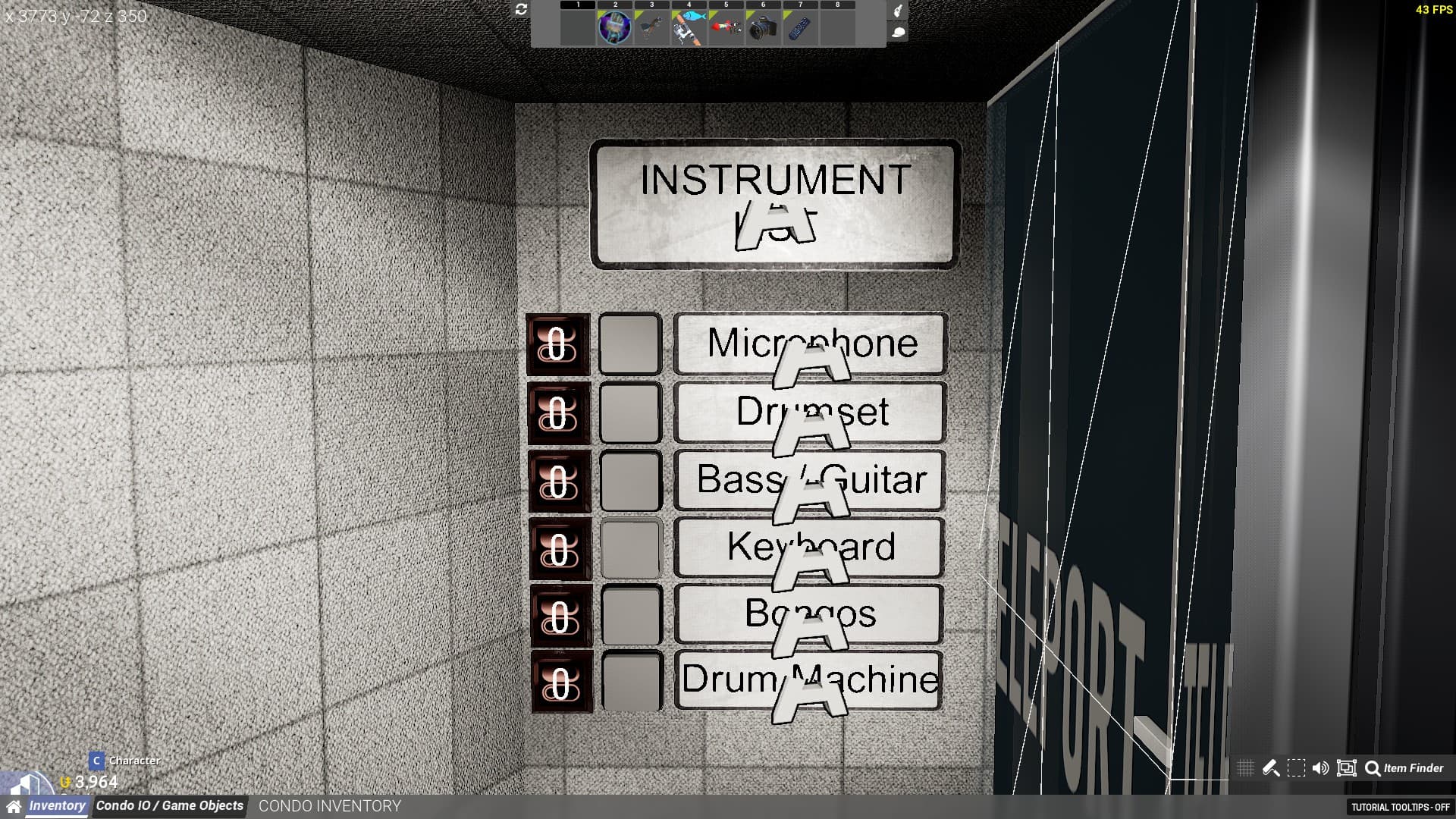
I would like to make a system with multiple buttons, and anytime I press a button, the boolean related to that button sets it TRUE and the rest of the boolean sets it FALSE.
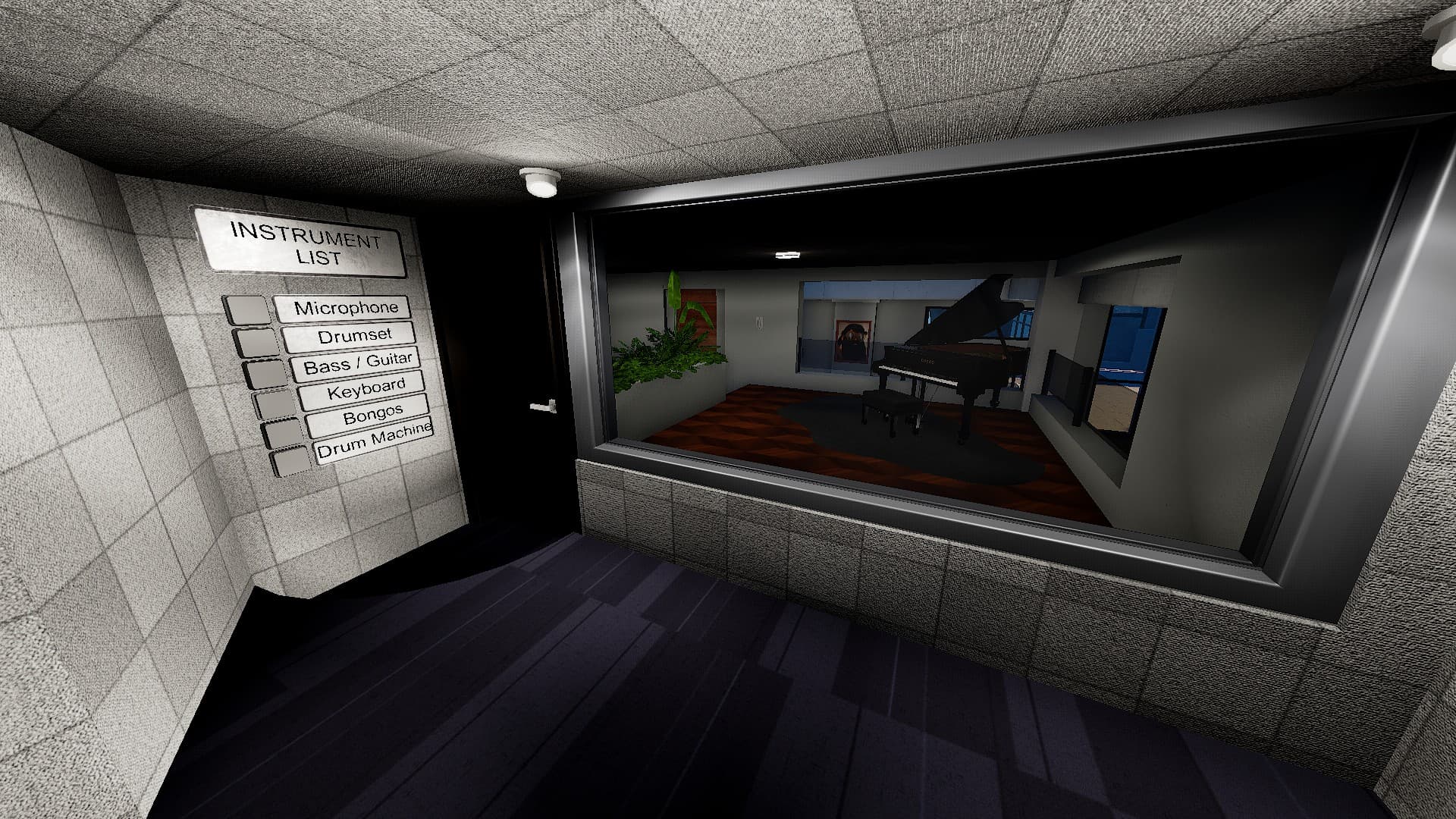
And with that, I can switch between instruments for the recording studio room for my Condo.
Hello @Sr_Desventura
ADDING CONNECTIONS
To easily create connections between items, I would recommend using the Tower Glove item. Once you equip the glove, hold C to switch to the connections mode. If you left click an IO module, it will choose it as the trigger. Left clicking another item will set up an output and connect the two items. Right clicking will clear your selection.
The M2 > connections tab is good for editing these connections after you have set it up with the glove. Check the connections tab on the item you have set as the trigger to edit what happens when it is triggered, what event you would like to use to trigger it, and what delay it should trigger at.
I would recommend checking the TU official IO guides for some more in depth tutorials and good visual references. Sorry I can’t add images right now, I am not at my computer!
SETTING UP YOUR REQUESTED BUTTON CIRCUIT
For something like this, I think the easiest solution would be to set all of the toggle modules to false and then set the one toggle module you want to be true to true on a slight delay.
First, create a relayToAll and connect it to all of your toggle modules. Then, create a regular relay module and connect it to your relayToAll. Make the connection “SetOff” when fired from the regular relay.
Now, go through and connect every individual button to “fire” your regular relay. Once you have done that, go through each button and connect it to the corresponding toggle module. Make sure the button connection sends a “SetOn” to the toggle module.
Add a slight delay to the “SetOn” connection within the connections tab in each button object. (Something like 0.1 seconds should be sufficient)
And you are all set! Whenever you press a button, it sets all toggle modules to FALSE, and then sets the one toggle module to TRUE after 0.1 seconds have passed. If you add more buttons in the future, simply connect the new toggle modules to the relayToAll and set the button up in the same way! Hope this helps!
Thanks for your reply!
I tried to follow your steps, but I guess I missed one because it would be better to have a more visual proccess with a scheme or something because Condo IO is still very confusing to me… ;-;
I wil try to study deeper the official guides to really understand how to configure any system.
Hello again! I managed to get a simple example set up! Here’s a more visual guide on how to set up the I/O for your instrument board:
STEP 1:
Make sure each of your Toggles are hooked up to the instruments. Each toggle for an instrument should be set to UNHIDE the instrument when toggled ON, and HIDE the instrument when toggled OFF. It should look something like this:
STEP 2:
Place a RelayToAll module on your board and connect it to ALL of the toggles using the Tower Glove.
STEP 3:
FIRST, connect each button to the toggle next to it. Make sure the connection is “SetOn” You can either scroll before clicking the toggle to set the connection type, or change the type in the menu later on.
AFTER you have connected each button to the toggle next to it, connect each button to the RelayToAll module too! Make sure the connection type is “SetOff”
STEP 4:
Finally, go into the connections settings for each button on the wall and change the DELAY for the “SetOn” connection to something small, like 0.1 seconds. This will make sure the button sets the RelayToAll module to OFF first, and then turn ON the one toggle you want to enable. It should look like this:
STEP 5
Press each button once. It should hide all of but one of the instruments. Now that you have done that, you should be finished! The other instruments should hide and the one you select should show up whenever you push a button!
Hope this is more helpful than the text description!
Sorry for the late reply, and yeah, this is what I exactly wanted, thank you for your help!