That’s right, you read the topic title right.
Here I come with a basic tutorial to create your own (playable) chess board on your condo.
This is what you need to build it:
- 5 Canvas Cubes (4 of them being optional)
- 32 Oversized Chess Pieces
- 2 Relay Modules
- 2 Basic Shape Buttons
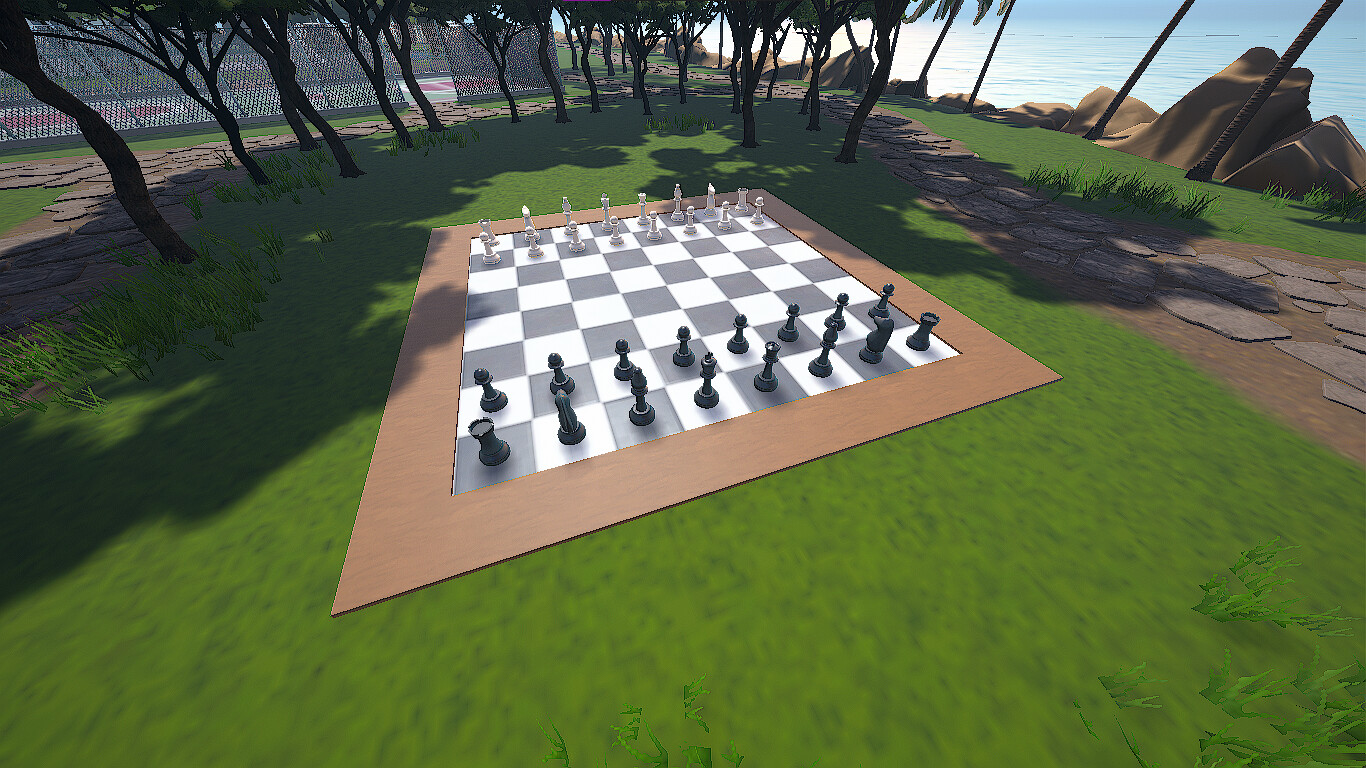
Lets start by building the board, for this you will need to set a canvas cube with the following settings / scale:
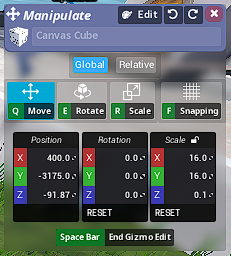
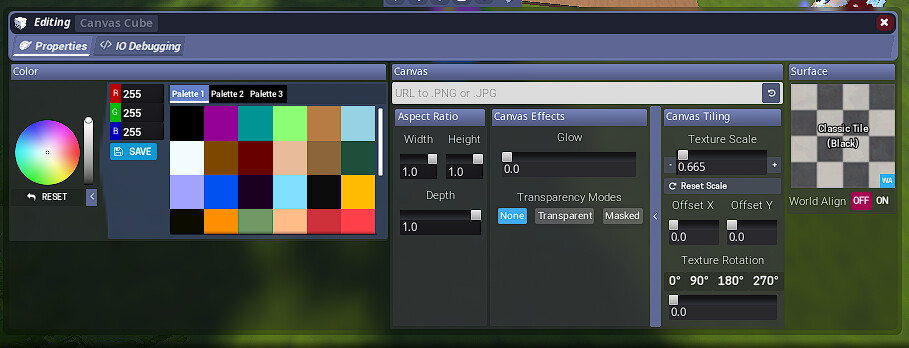
Although this is optional, you can build a border with 4 canvas cubes and the following settings/scales:

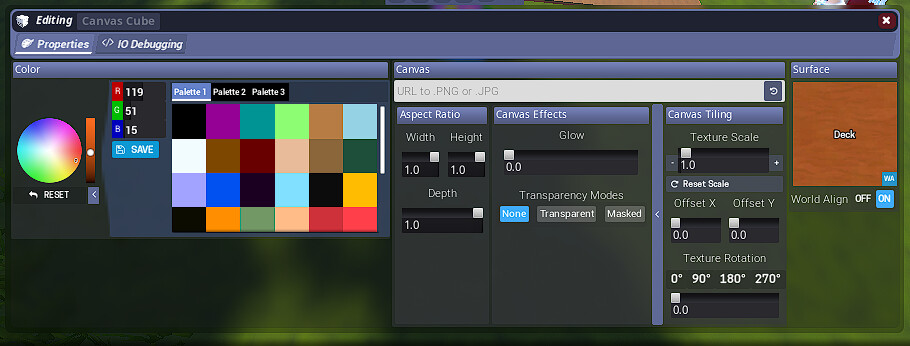
Keep in mind you’ll need to swap the X and Y scales when building the board, also do enable item snapping so you can place them perfectly centered.
Now for the pieces:
You need 32 oversized chess pieces which you can purchase at the Toy Stop store in the plaza or at Tower Express for 300 units each.
Place the pieces on the board and set each one like this, also make sure to set up the variant for each piece:
- 8 Pawns
- 2 Towers (Variant 2)
- 2 Horses (Variant 3)
- 2 Bishops (Variant 4)
- 1 Queen (Variant 5, queen must always go in the same colour of the pieces you are playing as)
- 1 King (Variant 6)
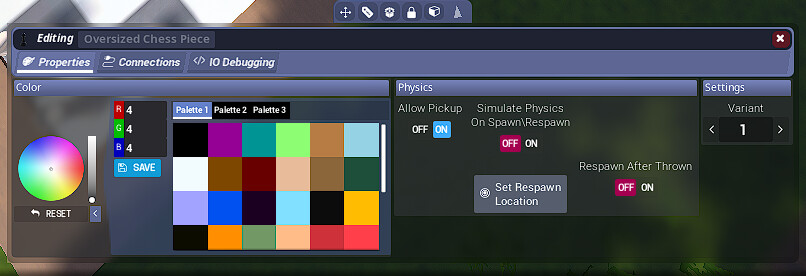
Make sure to click Set Respawn Location so when you respawn them they do not respawn at the 0,0,0 coordinates of the condo… (It happened to me when I first built this haha)
Now onto the IO shenanigans
Place up a Relay Module and connect all pieces to the relay. (Do the same for the white pieces as well)
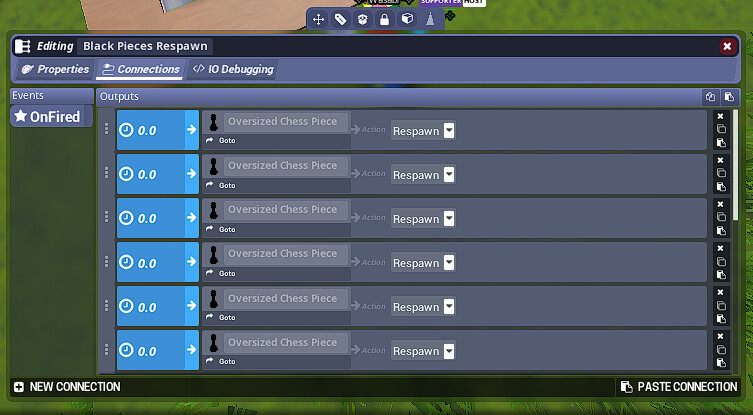
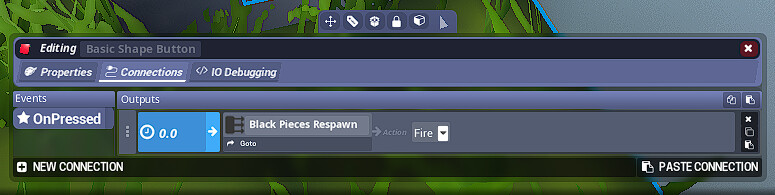
Now that you have the pieces connected, it is time to set up some buttons to fire each relay. (It is advised to have these buttons somewhere out of reach of bad actors. Some people may come to your condo, press them and ruin the game for you and whoever you are playing against.)
Connect the buttons to each relay like so:
Et voila, your massive chess board is now complete!
Have fun playing some chess! (I am not a very good chess player lol)