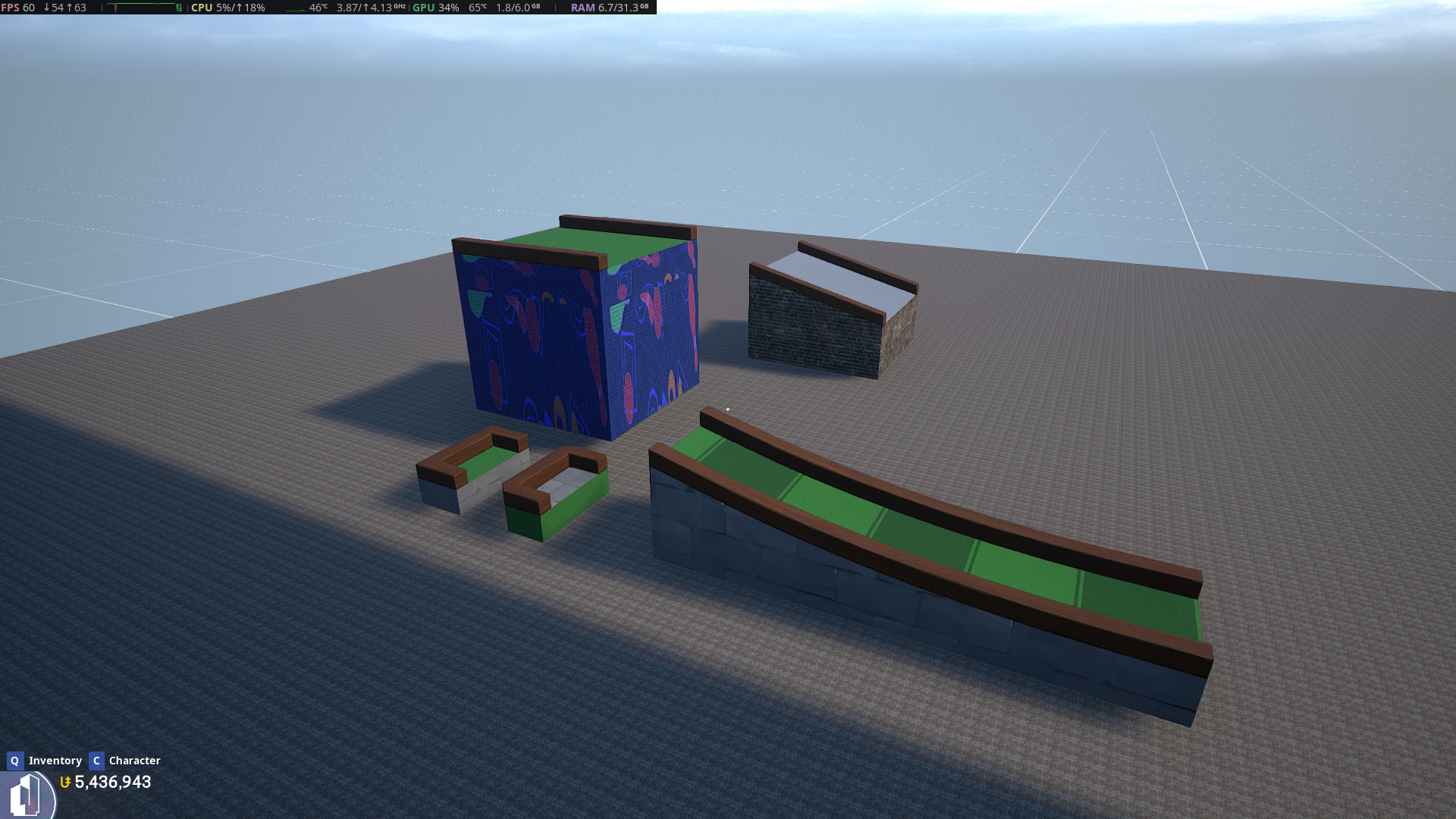
1. You cannot place a texture onto the surface of a mini golf piece as the ‘surface’ in the dialogue refers to the piece’s edge. However if you use the copycat tool to copy a texture from a primitive to the golf piece then the grass (surface) changes colour to a light grey.
Can this be made consistent please? Either allow the grass (surface) to be given a texture, or prevent the grass being re-coloured when a texture is applied via the copycat.
2. If you change the texture of a mini golf piece in the dialogue and then increase the base height then the texture stretches – see picture. However if you apply a texture to a part that has already had its base height increased using the copycat, then the texture is applied correctly.
3. The mini golf end piece swaps its grass and edge textures if it is set to 1x1 and has corners set to 45 degrees or rounded. However if an end piece with 45 degree or rounded corners is copied, then it is copied correctly (with green grass etc). If the copied part then has its corners set back to 90 degrees, then the textures swap again. See picture
4. If you set the mini golf ramp to 1 x 1, its steepness to medium, its curve to up curve and then extend the part’s length by increasing the Y scale to 2 then all looks ok. If you then play the map, the part’s grass switches to tiled and remains tiled when returning to the editor, even though the dialogue has it set to grass. See picture
5. Textures applied to spinning objects do not spin as expected and instead snap back to a start position as the object spins.
To reproduce. Place a primitive sphere and apply the coastal stone texture with world align off. Set the sphere spinning using a simple mover and watch the texture. Instead of rotating, the texture will snap back. If you have world align on it just looks odd as the texture does not move at all (this is expected?).