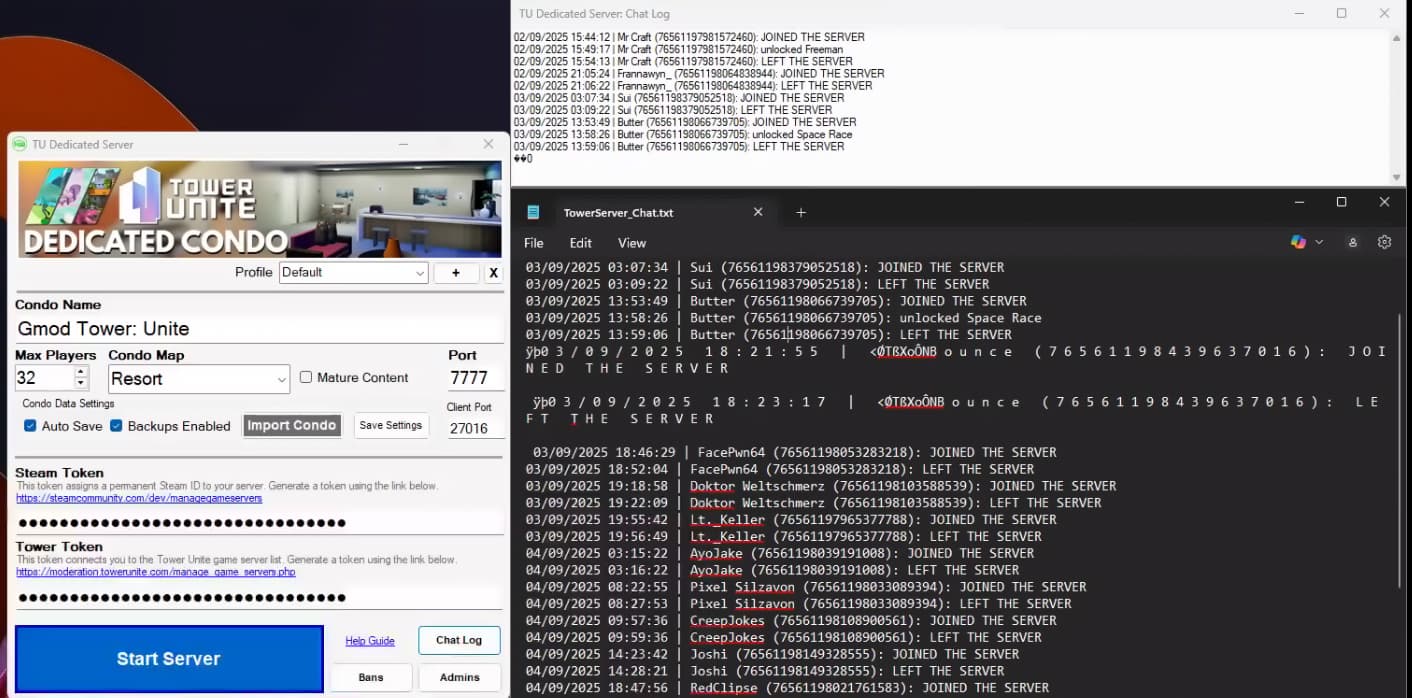
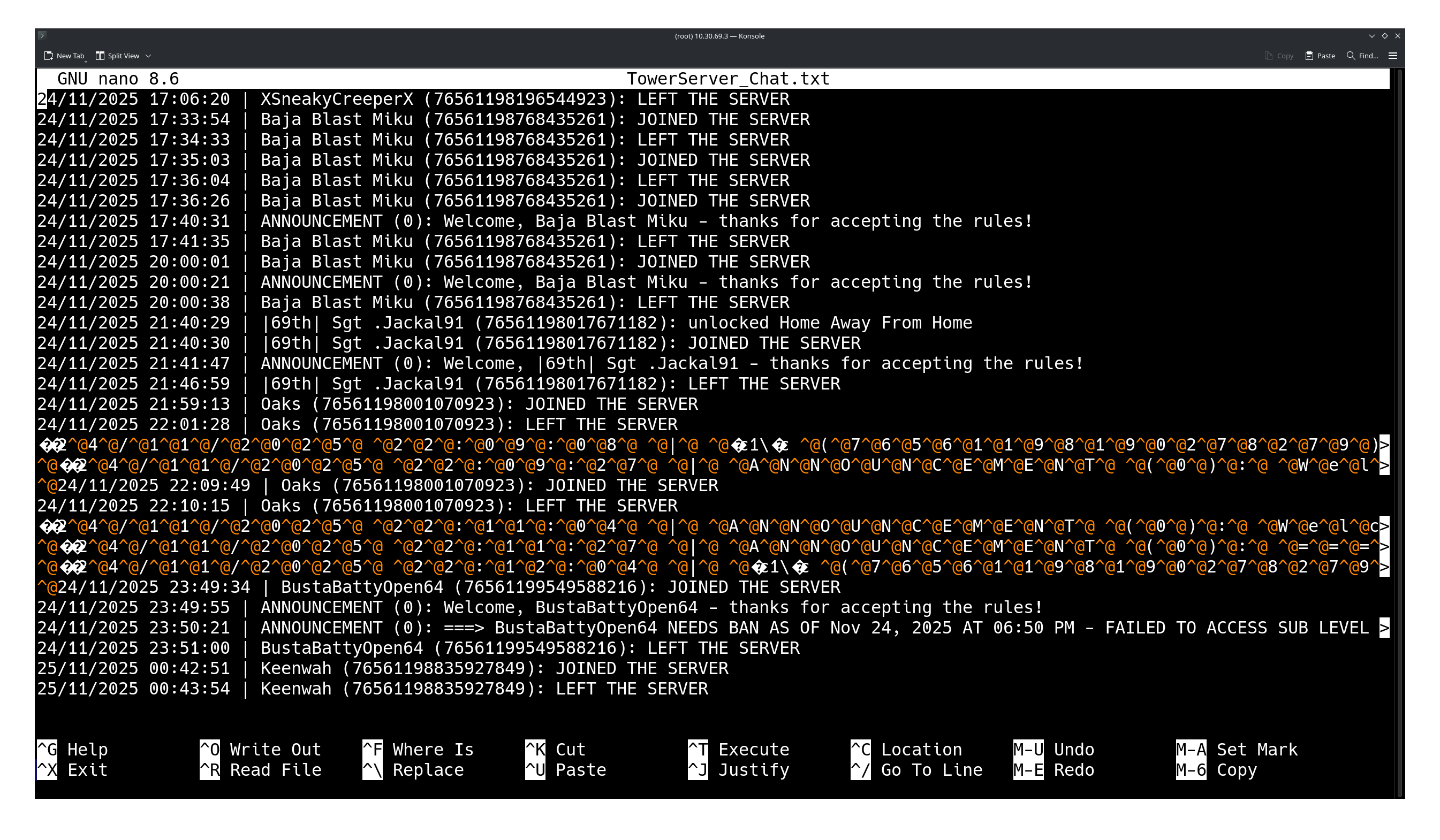
If someone has certain characters in their name, it appears that the chat log can no longer be viewed past their name using the built-in TU Dedicated Server GUI chat log viewer. Viewing the raw text file with an editor (N++, Notepad, etc.) still works.
Steps to Reproduce
Have a player with invalid characters in their name join a dedicated condo.
What I expected to happen
Chat log viewer functions as normal.
What happened
TU Dedicated Server GUI chat log viewer does not work after player with invalid characters join.
Notes / Media
Note that viewing TowerServer_Chat.txt with Notepad works fine, while the built-in chat log fails to load beyond the “ØTßXoÔNB o u n c e” playername.
Just a guess: this may be a DOS v. UNIX line ending conflict.
its a bit more readable there, but I’ve been unsuccessful in finding a way to automate cleaning up chat logs like this, with awk, grep, sed, etc. however I found I can cut and paste each of those lines in the hypervisor GUI and that cleans it up somehow, but that’s entirely manual
Not sure if that helps anyhow, but if it might, I’m for it, cause this is particularly painful for me, to keep track of who can’t read and touches keypads that are meant for friends only, which are the ones being tagged as ‘needs ban’
EDIT: I’ve tried using perl, sed, tr, awk, and grep actually, looking through my bash history, to somehow exclude these illegal characters, but I’ve not found or gotten anything working yet with any of those.